
Latest Version
KDE
Education
Linux
Free
org.kde.kalgebra
Report a Problem
More About KAlgebra
The KAlgebra graph calculator offers an elegant, open-source solution for students, educators, and engineers who need to move beyond the limitations of traditional physical hardware. Developed by the trusted KDE community, this Linux application serves as a comprehensive mathematical workstation, allowing users to solve complex expressions and visualize them instantly without carrying a bulky device.
Unlocking Advanced Math with the KAlgebra Graph Calculator
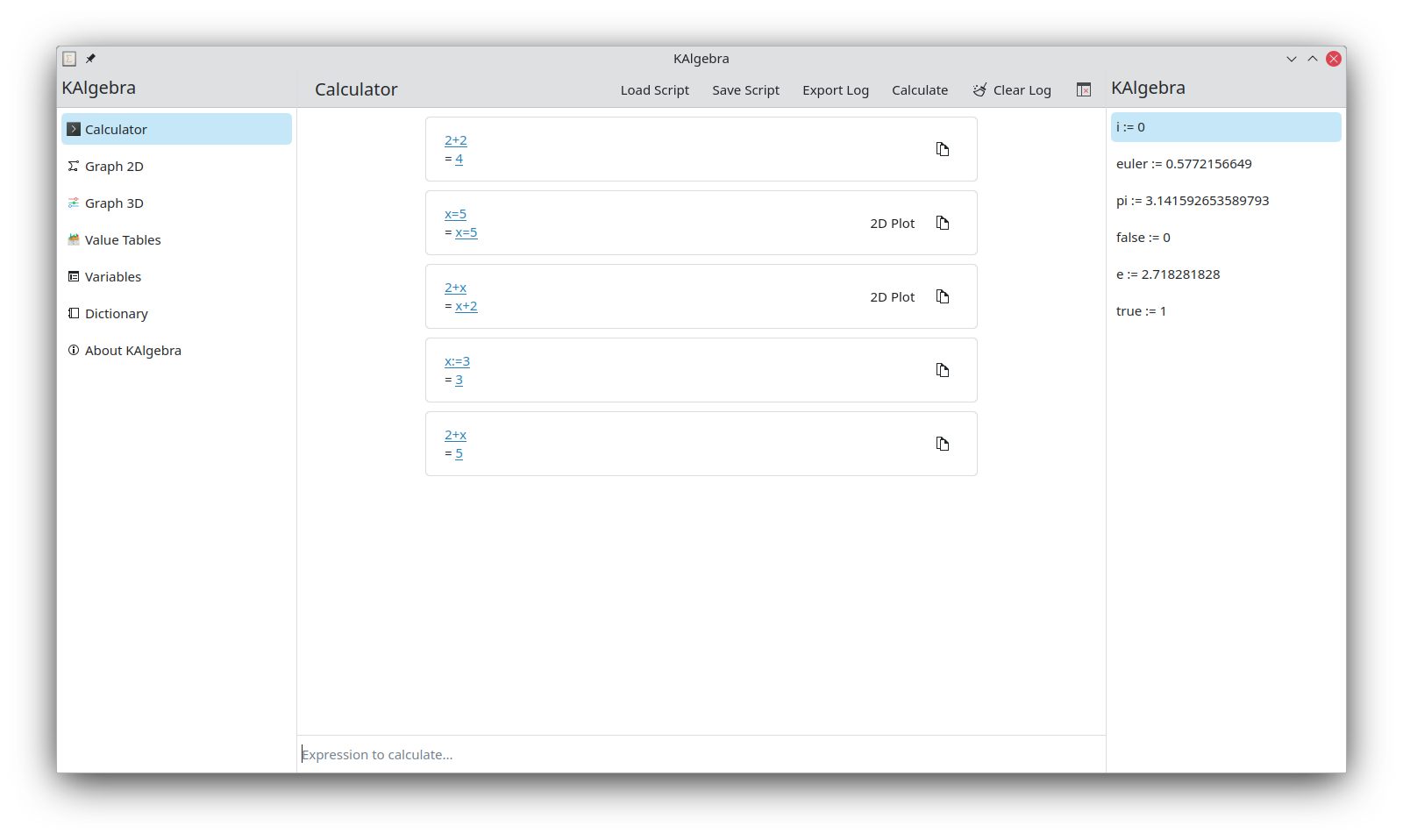
At its core, this software is designed to make mathematical computation intuitive yet incredibly deep. By leveraging the power of modern computers, the KAlgebra graph calculator handles operations that would slow down standard hand-held calculators. Whether you are dealing with basic algebra or advanced calculus, the platform provides a clean interface divided into console-based calculations and visual plotting windows.
Key Features and Mathematical Capabilities
- Multi-Dimensional Plotting: Seamlessly transition between 2D function plotting and complex 3D surface visualizations to analyze your equations from every angle.
- Symbolic and Numerical Analysis: Perform exact symbolic calculations or obtain precise numerical approximations depending on your project requirements.
- Logical Operators: Built-in support for logical expressions allows programmers and logicians to test propositions easily.
- MathML Integration: While the application is rooted in the Mathematical Markup Language (MathML), the user interface is designed so that you do not need to know MathML to write and solve equations.
Who is This Linux Mathematics Tool For?
If you are a Linux user working in the education sector, a student tackling STEM coursework, or a researcher needing quick data plotting, this tool fits perfectly into your workflow. Because it is built by KDE, it integrates beautifully into Linux desktop environments, offering a lightweight footprint paired with robust analytical power.
Getting Started with KAlgebra
Transitioning from a physical calculator to this software is straightforward. The console tab lets you input expressions directly, offering immediate feedback, while the dictionary tab helps you find specific mathematical functions and syntax rules. To experience this powerful educational tool yourself, visit the official Flathub store page to explore installation options for your Linux distribution.
Rate the App
User Reviews















Popular Apps










Editor's Choice